Tutorials
WOHNO
The WOHNO WordPress Plugin in Detail: Embed Listings Natively – How It Works, Benefits, Limits & Setup
How the WOHNO plugin shows your listings natively and SEO-friendly in WordPress, why the application and applicant folder stay GDPR-safe with WOHNO, how caching, security and the four layouts work – and which pros and cons you should know before using it.
You maintain your listings in WOHNO and want to show them on your own WordPress site, up to date, attractive and without duplicate data entry. That's exactly what the WOHNO WordPress plugin is for. This article explains in depth how it works, what makes it special both technically and conceptually, where its limits are and how to set it up in a few minutes, including a shortcode reference and troubleshooting tips.
What the plugin does – in one sentence
The plugin fetches your listings through the WOHNO API and renders them as native, SEO-friendly HTML directly on your WordPress site. A click opens the detail view; the application runs first-party on wohno.de, including the applicant folder, personal data and GDPR responsibility. This way you present a high-quality showcase on your domain without applicant data being created on your server.
Real HTML
Native
Indexable, no iframe
Layouts
4
Grid, cards, list, map
Applicant data on your site
0
Application stays with WOHNO
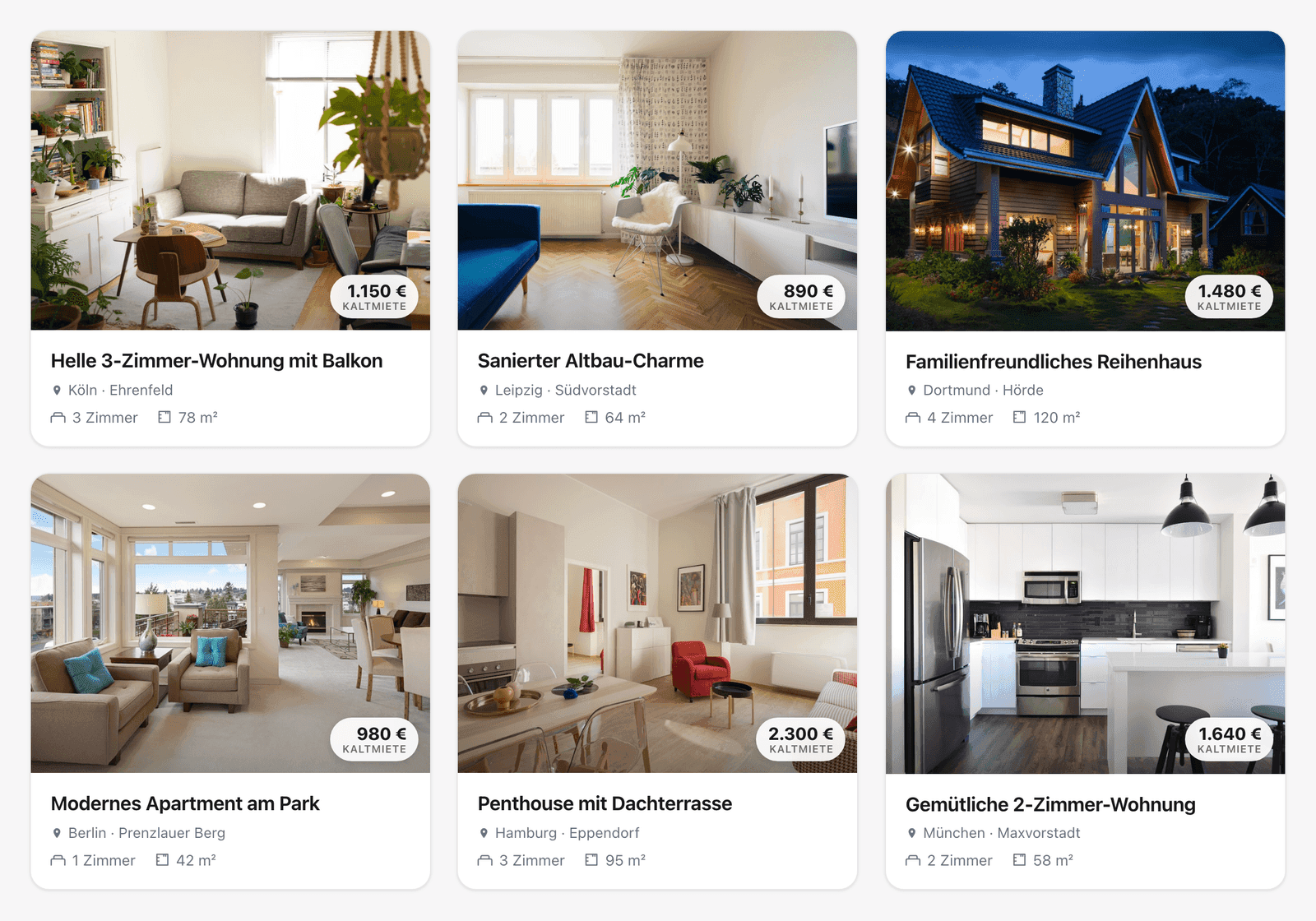
The idea: showcase on your domain, folder with WOHNO
The WOHNO plugin cleanly separates two things that other plugins mix up:
- The overview is rendered as real theme HTML on your domain. Google indexes it, your site gains content and reach.
- The detail page and the application live canonically on wohno.de. That's where the entire sensitive part runs: login, applicant folder, proof of income, consent, GDPR.
Why native HTML instead of an iframe is decisive for SEO, and how this model differs from classic self-hosting plugins, we compare in detail in the plugin comparison for real estate agents. If you maintain your inventory in agent software, you can import it into WOHNO via OpenImmo. The plugin then shows it automatically.
How the plugin works technically
Under the hood the plugin works server-to-server: your WordPress server calls the WOHNO API, not your visitors' browser. That has three important consequences.
Server-side fetch
The API key is used server-side only and never delivered to the browser. Listings arrive as finished HTML in the page. Search engines see real content, not an empty iframe.
Non-blocking rendering with caching
Each query has a "fresh" window (about five minutes) and a longer "retain" window (about a day). Fresh hits return immediately from the cache; stale hits return the cache and trigger a background refresh. Only the very first view of a query fetches synchronously. So your page never waits on the API.
Background prewarm
A background job (WP-Cron, every five minutes) keeps known queries warm. The refresh is ETag-validated. If nothing changed, it costs no API quota.
Because the fetch happens server-side, finished HTML lands in the page, not an empty iframe that search engines ignore:
iframe or native HTML? The difference for your Google ranking
iframe embed
Content is loaded from an external domain.
your-agency-site.com
iframe
external domain
- Google attributes listings to the source domain
- almost no SEO benefit for your site
Native HTML
Listings are a real part of your domain.
your-agency-site.com
<h1> Property · Images · Data
on your domain
- Google indexes the pages as your content
- full SEO benefit — your own headings & data
In practice this means: even with many visitors, the page stays fast and your API quota is spared. The only trade-off: new or changed listings appear slightly delayed due to caching.
Feature overview
- Four layouts: grid, large cards, list and an interactive map (Leaflet + OpenStreetMap, no API key).
- Three ways to embed: the "Wohno – Listings" Gutenberg block, a classic widget, and the
[wohno_listings]shortcode, plus ready-made block patterns. - Image gallery & detail modal: each card shows all photos; a click opens an in-page detail view with description, key facts and a cost breakdown (cold rent, utilities, heating, warm rent, deposit).
- Front-end search: an optional filter bar (city, rooms, rent, type, WBS, full-text) – server-side and SEO-friendly.
- "Load more": cursor-based pagination for long lists.
- Single listing:
[wohno_listing id="…"]embeds exactly one listing. - Branding: accent colour and corner radius adjustable in the settings; the card template can be overridden in your theme.
- Multilingual: the plugin follows your site language (German/English).
The four layouts in detail
- Grid: a compact card grid with one to four columns, the all-rounder for an overview page.
- Large cards: image-led cards for a prominent presentation of fewer properties.
- List: a space-saving list view, ideal for many properties.
- Interactive map: Leaflet with OpenStreetMap tiles, with no API key at all. Only listings with coordinates are placed; without the map layout no connection to OpenStreetMap is made.
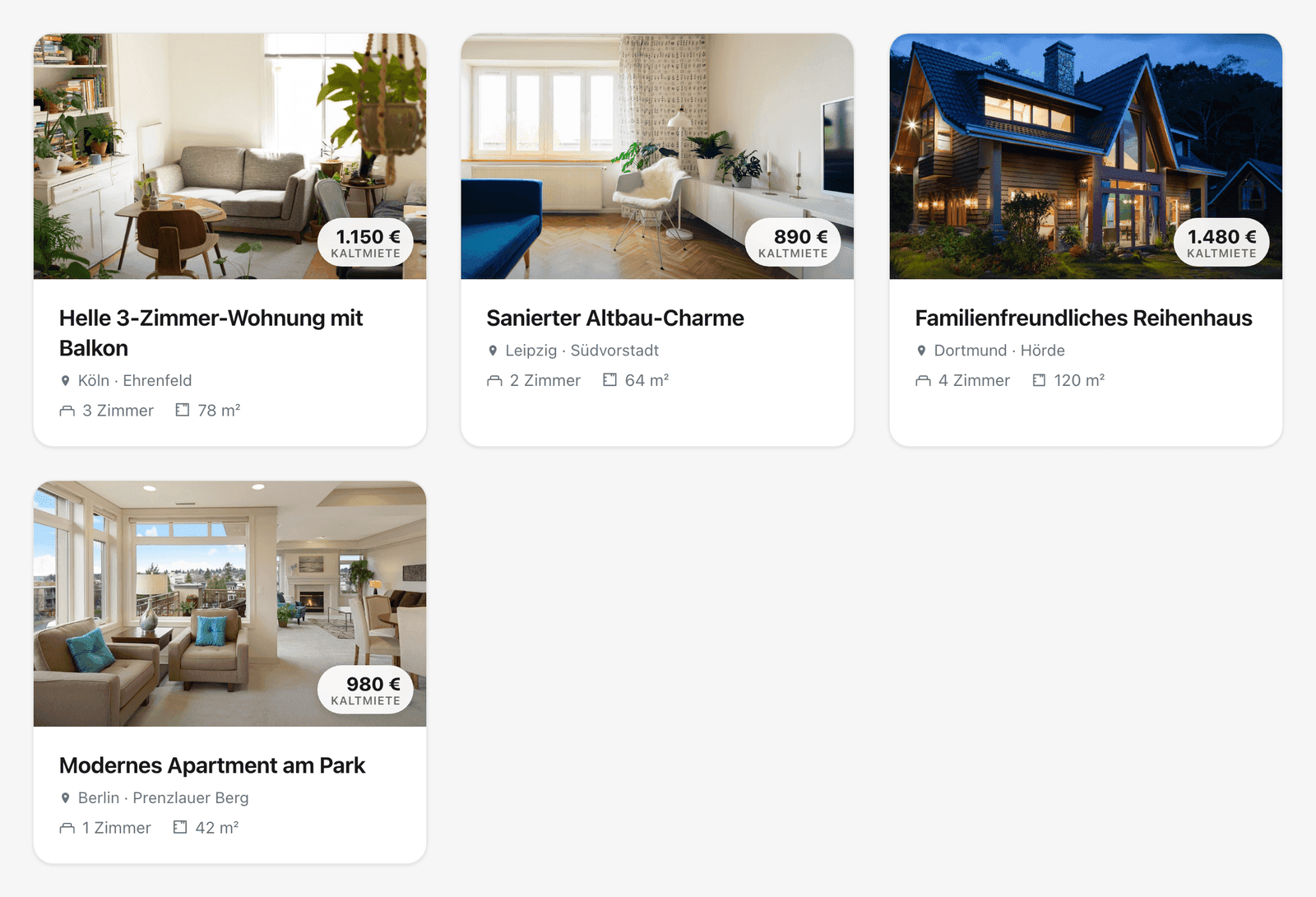
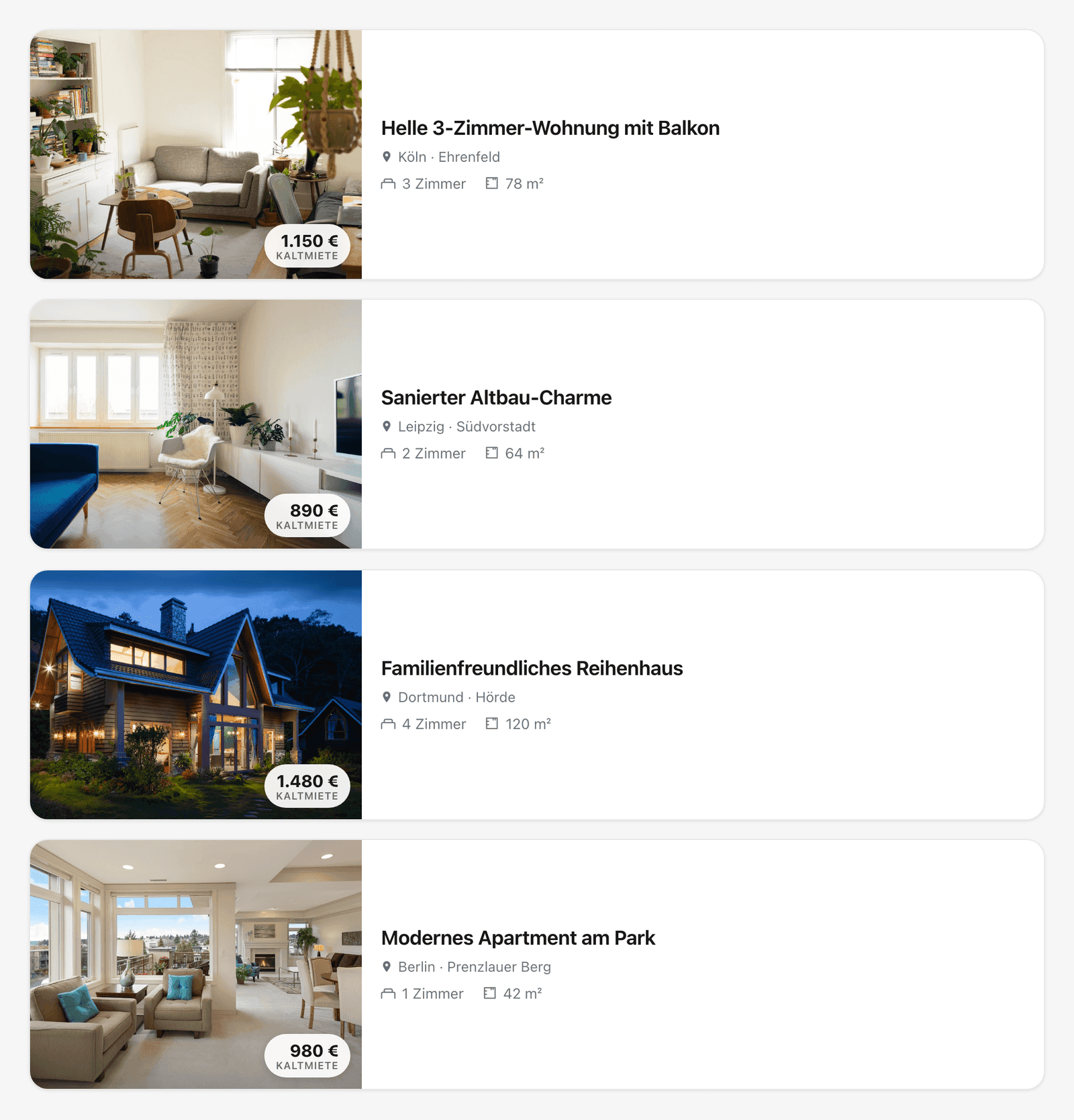
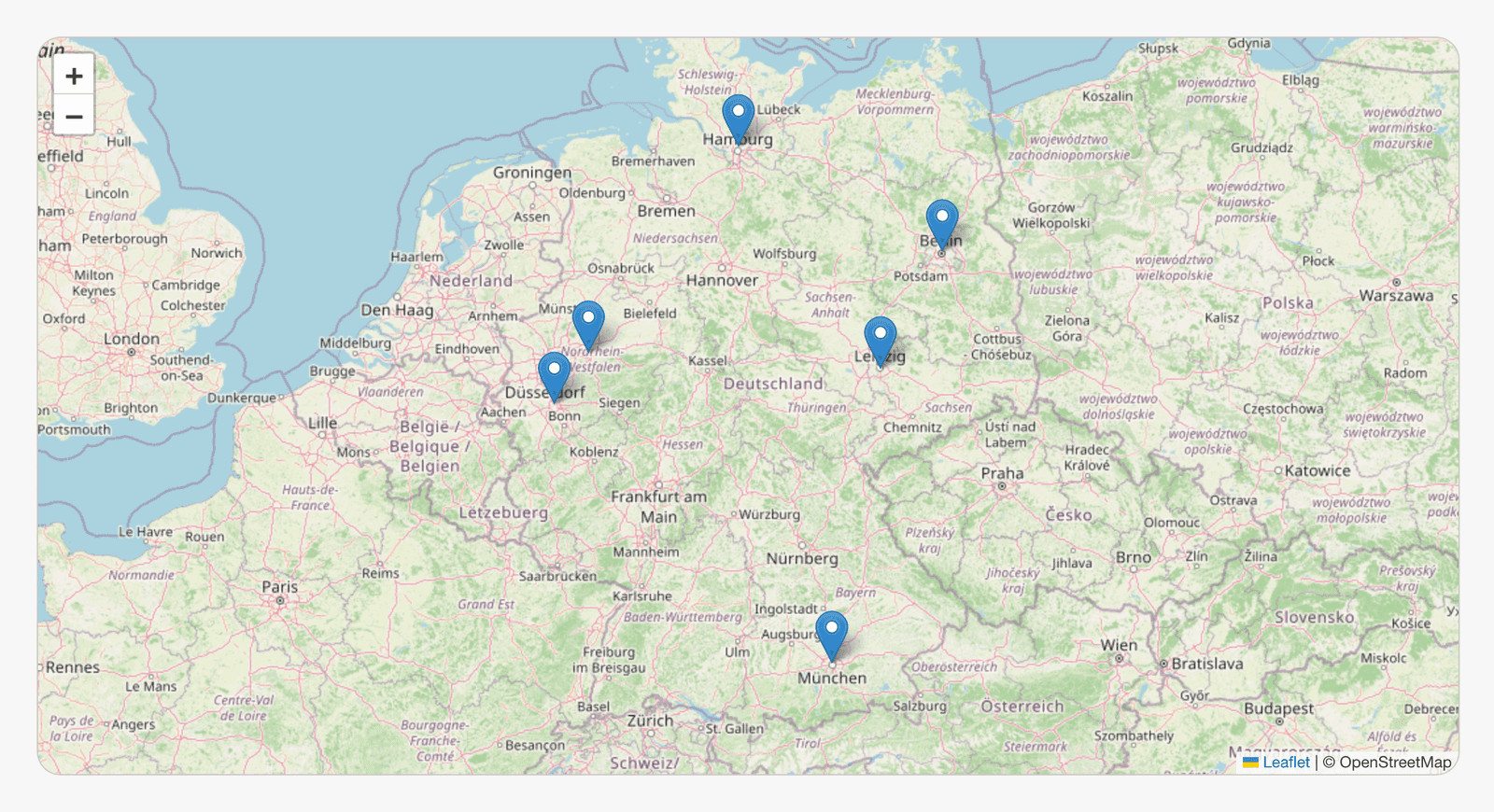
Security in detail
Security matters most when handling an API key. Here the plugin is deliberately strict:
- The API key is stored server-side only in
wp_options, encrypted with AES-256-GCM, providedAUTH_KEY/SECURE_AUTH_KEYare set inwp-config.php(the WordPress default) and the server providesopenssl. - It is sent only over HTTPS in the
X-API-Keyheader, never in the query string, never in the page source and never in the browser. - An accidental non-HTTPS configuration of the API base is rejected, so the key-bearing request can never be downgraded to plaintext.
- No applicant data is created on your website. The sensitive part runs first-party on wohno.de.
Where is applicant data created — and who is liable?
Self-hosting plugin
Application on your server
name · proof of income
credit report · ID
You are the controller (Art. 4 GDPR):
- •records of processing (Art. 30)
- •technical & organisational measures (Art. 32)
- •deletion deadlines · DPA with your host
WOHNO plugin
Overview on your domain
native HTML · SEO-ready
no applicant data
The application runs first-party on wohno.de:
- •login, applicant folder & consent there
- •GDPR responsibility stays with WOHNO
- •no PII is created on your site
What this data responsibility means in GDPR detail (records under Art. 30, TOMs, deletion deadlines, a DPA) and why it rests with you for classic self-hosting plugins, we go into in the plugin comparison for real estate agents.
The benefits
Maintain in one place only
You maintain your listings exactly once in WOHNO. The plugin shows them automatically in sync on your website: no duplicate data, no stale exposés.
SEO-friendly instead of iframe
The overview is real HTML on your domain and therefore indexable. You gain content and visibility without building your own portal.
GDPR stays with WOHNO
The application and applicant folder run first-party on wohno.de. No applicant data is created on your site. The data-protection responsibility for it stays with WOHNO.
Secure & fast
The API key is stored encrypted server-side and never exposed in the browser. Caching and a background prewarm ensure your page rendering never waits on the API.
The limits – stated honestly
No tool is ideal for every case. You should know these points:
- You need a WOHNO account. Without an API key with the
listings:readscope the plugin shows nothing. The model pays off if you maintain (or want to maintain) your listings in WOHNO anyway. - The detail page lives on wohno.de. That's by design. The application runs there GDPR-safe. If you absolutely need the full detail page on your own domain, choose a different model.
- "Discreet" listings are not shown. They are deliberately not served via the API, because for discreet properties the landlord selects the matching applicants first.
- Caching means a short delay. Due to the ~5-minute caching, new or changed listings appear slightly delayed, a deliberate trade-off in favour of performance and your API quota.
How to set up the plugin
Create an API key
In the WOHNO dashboard under "API Keys", create a secret key (sk_…) with the listings:read scope.
Install & connect the plugin
Install and activate the plugin, open the new "Wohno" menu in the WordPress sidebar, paste the key in the "Connection" tab and click "Test connection".
Choose the appearance
Set the default layout, columns, accent colour and corner radius in the "Appearance" tab.
Embed the listings
Place the "Wohno – Listings" block, use a widget, or copy a shortcode from the "Embed" tab (with a live preview and shortcode generator).
A typical shortcode with filters looks like this:
[wohno_listings city="Köln" rooms_min="2" rent_max="1200" layout="grid" columns="3"]
Shortcode reference (excerpt)
| Attribute | Values | Default | Description |
|---|---|---|---|
city | text | – | City filter |
rooms_min / rooms_max | 0–20 | – | Room range |
rent_max | euros (e.g. 1200) | – | Max. cold rent in euros |
property_type | apartment, house, studio, wg_room, other | – | Property type |
wbs_only | 1 | – | WBS-only listings |
layout | grid, cards, list, map | grid | Layout |
columns | 1–4 | 3 | Columns (grid only) |
search | 1 | off | Show the filter bar |
You'll find the full reference, all attributes and troubleshooting tips in the developer documentation for the plugin.
Common errors – and how to fix them
Most setup problems have one of a few causes:
- "Connection failed" / invalid key. You need a secret key (
sk_…) with thelistings:readscope. A publicpk_…key is not enough. Copy the key in full and without spaces and test it in the "Connection" tab. - No HTTPS. The plugin deliberately rejects a non-HTTPS API base so the key is never
transmitted in plaintext. Make sure your site and the API base run over
https://. - No listings visible. Check that published listings exist in WOHNO and that your shortcode filters (city, rent, rooms) aren't set too narrowly. An overly strict filter returns an empty list.
- Only discreet properties missing. "Discreet" listings are deliberately not served via the API. For them the landlord selects the applicants first. They therefore never appear in the plugin; that's not a bug.
- Changes appear delayed. Due to the ~5-minute caching, new or changed listings become visible with a slight delay. Wait a few minutes or clear your page/object cache if your site is additionally cached.
Set up the WOHNO plugin now
Show listings natively and SEO-friendly on your WordPress site – the application and applicant folder stay GDPR-safe with WOHNO.
FAQ – frequently asked questions
Continue with WOHNO
Ready for the next step?
Related Posts
Business
WOHNO
The 7 Best WordPress Plugins for Real Estate Agents in 2026 – Compared & Tested
Which WordPress plugin fits your real estate business? The most in-depth comparison of seven solutions for property websites – from OpenImmo import and IDX/MLS to the WOHNO plugin. With real wordpress.org numbers, current pricing, screenshots, a comparison table, a GDPR check, and a clear recommendation by business model.
WEWOHNO Editorial·29 min
Tutorials
WOHNO
OpenImmo Explained: What the Real-Estate Standard Is and How Import Works
OpenImmo is the open interface real-estate software and property portals use to exchange listing data. This guide explains in plain language what OpenImmo is, how an openimmo.xml is structured, which software exports the standard and how importing into a portal like WOHNO works.
WRWOHNO Redaktion·11 min
Tutorials
WOHNO
Organising applications & viewings without the chaos
A repeatable process for private landlords: pre-sort applications, build a shortlist, organise viewings cleanly (one-on-one instead of group), coordinate appointments, decline fairly – and which applicant data you must delete after letting under the GDPR.
WEWOHNO Editorial·14 min